Code 3 Police Callouts How to Redeem Codes
Find the gift button, paste active codes correctly, and fix the most common redeem errors on PC and mobile.
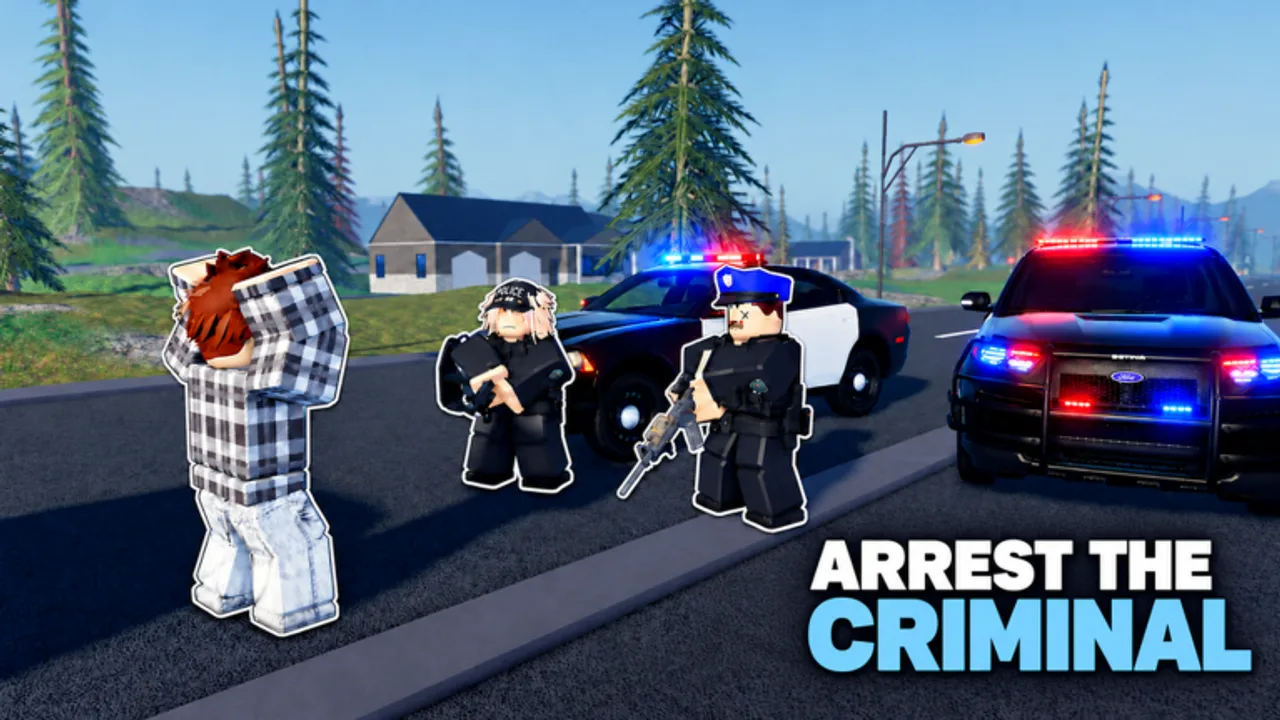
Redeeming promo codes in Code 3: Police Callouts takes under a minute once you know where Black Sector Games placed the gift UI. This guide walks through every step for desktop and mobile, lists the codes you should try first, and covers troubleshooting when a string is rejected. Pair it with the live table on the Codes Hub so you never paste an expired reward.
Code 3 is a police callout simulator with Police, Sheriff, SWAT, and FBI units, MDT warrant checks, traffic stops, and large vehicle and weapon pools. Free cash from codes helps you buy a better patrol car or stock ammo before your next dispatch on a 15-player server. New players should finish the tutorial / Academy basics from Getting Started either before or right after redeeming so the reward is spent wisely.
Before you redeem
- Update Roblox and relaunch so UI elements load correctly.
- Join the official place: search Code 3: Police Callouts or open the Black Sector Games listing (universe id 10766209118).
- Wait until you are fully in-world — codes often fail if you try during the loading screen.
- Have the active codes ready from the Codes Hub: currently
GUNZCUSTOMS(~$10 cash) andGARAGE. Skip500KVISITS— it is expired. - Disable clipboard managers that append spaces or change capitalization.
Step-by-step: redeem on PC
- Spawn in and look at the side of the screen for Codes, Shop, Settings, or a gift icon. The exact label can change after patches, but the entry box lives in that cluster.
- Click the control to open the redeem panel.
- Click the text field so the caret appears.
- Paste
GUNZCUSTOMSor type it carefully. Codes are case-sensitive. - Press Redeem, Submit, or Enter.
- Watch for a success toast or an immediate cash / garage change.
- Repeat for
GARAGEif you have not claimed it yet. - Close the panel and confirm the reward in your cash counter or garage menu before starting a long callout chain.
If the gift icon is missing, check Shop tabs and Settings first — some updates nest the code box one level deeper without removing it.
Step-by-step: redeem on mobile
- Rotate to landscape if buttons feel cramped; many HUD icons sit on the right or left edge.
- Tap the Codes / Shop / Settings / gift control. On phones you may need to expand a collapsed menu chevron.
- Tap the input field, then paste from your clipboard (long-press → Paste).
- Double-check that autocorrect did not lowercase the code.
- Tap Redeem and wait for confirmation before switching apps.
- If Roblox steals focus, reopen the game and verify the reward stuck to your account.
Mobile players sometimes hit a second login prompt after redeeming; stay on the same Roblox account so the gift does not appear “lost.”
What each active code is for
| Code | Typical use |
|---|---|
GUNZCUSTOMS | Small cash injection (~$10) for early weapons, ammo, or vehicle fees |
GARAGE | Garage-oriented reward that supports vehicle access / progression |
Spend cash on a dependable first cruiser and a serviceable sidearm before chasing HyperCars or specialty packs. For long-term unlock order across units and weapons, cross-check the Tier List. Permanent multipliers like X2 cash or X2 exp are game passes, not codes — they stack with callout income after you redeem.
Troubleshooting: code will not redeem
Invalid / does not exist
- Re-copy from the Codes Hub — avoid typing from memory.
- Remove leading or trailing spaces.
- Match uppercase letters exactly (
GUNZCUSTOMS, notGunzCustoms). - Confirm the code is still listed as active; visit-milestone codes such as
500KVISITSexpire.
Already redeemed
- Most codes are one-time per account. You will not get a second payout.
- Check cash and garage menus; the reward may already be applied.
Nothing happens when I press Redeem
- Rejoin a fresh server (capacity 15).
- Finish tutorial prompts that block other UI.
- Restart Roblox after a client update.
- Try the other platform (PC ↔ mobile) once to rule out a HUD glitch.
Reward missing after success message
- Soft rejoin the same account.
- Open garage / inventory / MDT-related panels — some rewards surface there first.
- Wait a minute; rare replication delays happen on busy servers.
Phishing “generators”
- Never enter your Roblox password on a third-party “free code” site.
- Real codes are short public strings announced by the developer group, not password forms.
- For broader account hygiene around shady tools, read Script Safety Tips.
After you redeem: smart next steps
- Note your new cash total and buy the minimum reliable loadout for your current unit.
- Run a few traffic stops and a standard callout to learn MDT ID / warrant flow.
- Decide whether Police, Sheriff, SWAT, or FBI fits your play style — early-access passes exist but are optional.
- Skim Updates so you know if a patch moved the gift button or added a new code.
- Return to the Codes Hub whenever visit or like milestones land (the game sits near 1.6M visits and 85% likes).
Codes vs scripts vs game passes
| Source | What you get | Risk |
|---|---|---|
| Promo codes | Free, official one-time rewards | None when redeemed in-game |
| Game passes (Car Stereo, HK416 Special, Generate Callouts, X2 cash, X2 exp, MK48, Mobile Garage, V.I.P Panel, Unmarked Vehicles, Explosive Rounds, unit early access, Muscle / Hyper car packs) | Permanent paid perks | Robux cost only |
| Third-party scripts / executors | Unofficial automation | Ban, malware, phishing — see Scripts Hub |
Stick to codes and legitimate passes for progression. This wiki will not invent loadstrings for Code 3; when community scripts appear, evaluate them using the safety checklist rather than pasting blindly.
Related links
- Codes Hub — active and expired tables
- Getting Started — tutorial and Academy path
- Updates — patch timing for new drops
- Tier List — where to spend code cash
- Scripts Hub / Script Safety Tips — avoid risky executors
Redeem early in a session, verify the reward, then get back on the road — dispatch will not wait while you dig through menus.
Frequently Asked Questions
Quick answers for patrol, codes, units, and progression.
Where is the code button in Code 3: Police Callouts?
Look for a Codes, Shop, Settings, or gift icon on the side of the HUD. Some patches nest the text box one menu deeper, but it stays in that cluster on PC and mobile.
Why does my code say invalid?
Usually a typo, wrong capitalization, an extra space, or an expired code such as 500KVISITS. Copy again from the Codes Hub and retry on a fully loaded server.
Can I redeem the same code twice?
No. Promo codes are typically one-time per Roblox account. A second attempt usually returns an already-redeemed error.
Do I need to finish the tutorial before redeeming?
Not always, but finishing tutorial or Academy prompts first avoids UI locks that block the gift panel. Rewards are easier to spend after you understand garage and loadout menus.
Are mobile and PC codes different?
No. The same strings work on both clients. Only the HUD layout changes; paste carefully so mobile autocorrect does not alter the code.
Is it safe to use online code generators?
No. Official codes are short public strings. Generators that ask for your password are phishing. Use only in-game redeem and this wiki’s Codes Hub list.